
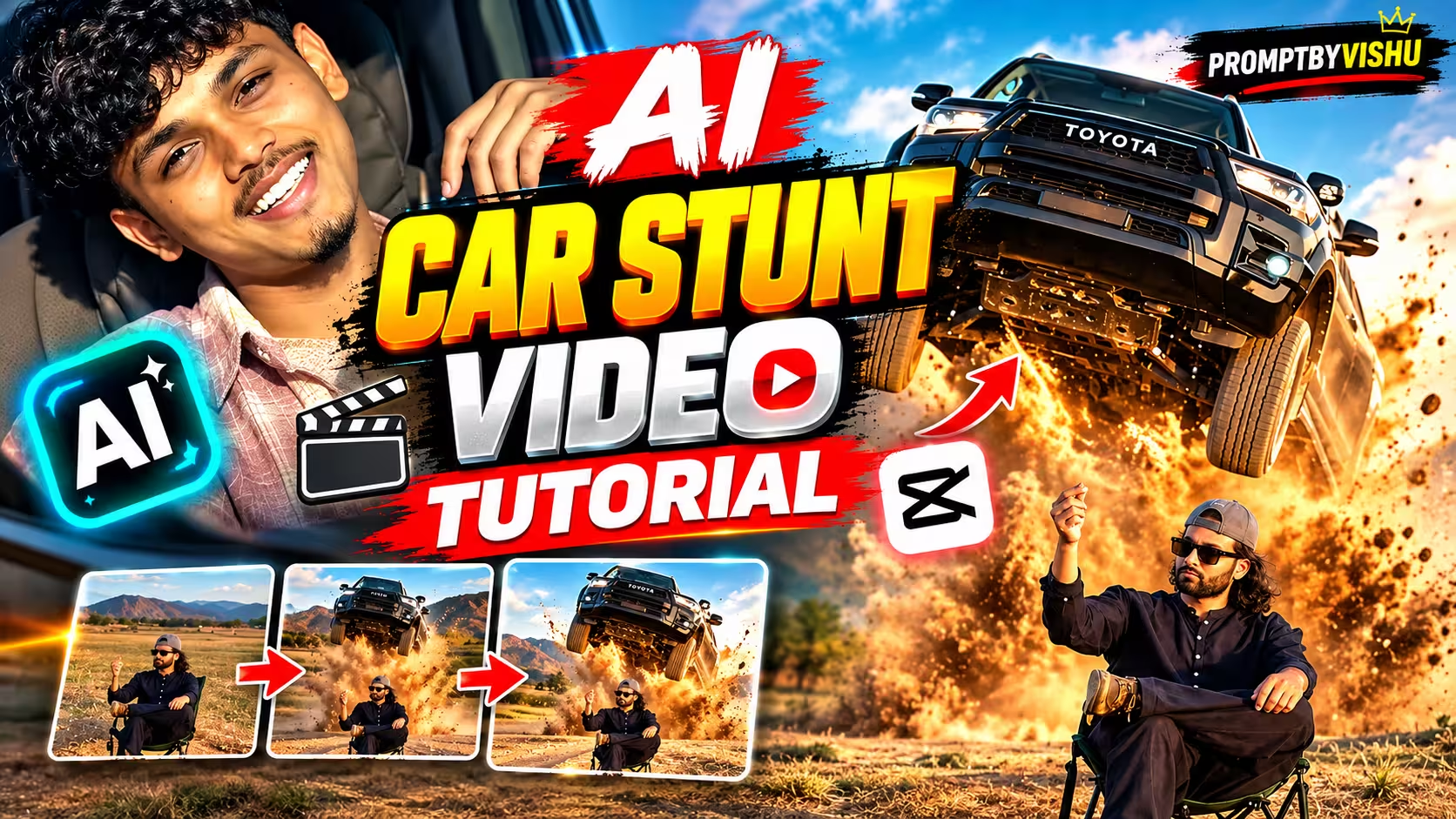
Mercedes Car AI Video Prompt: Viral Mercedes & Toyota Trend
By Promptbyvishu
The Mercedes Car AI Video Prompt trend is taking over Instagram and YouTube Shorts, turning an ordinary photo into a cinematic luxury-car video. A normal selfie can suddenly become a realistic-looking scene of you sitting behind the wheel of a Mercedes, complete with cinematic camera movement, dashboard lighting and natural-looking motion.
They didn’t. Nobody did. It’s AI, start to finish.
I’ve been messing around with this for a couple of weeks now — mostly on Google Flow — and I finally got a version of the prompt that gives consistent, non-weird results. Sharing both variations here because depending on what you have (just a photo, or a photo + a reference clip), you’ll want a different approach.
Table of Contents
- First, what even is a “video prompt”
- Quick word on how Flow handles this
- Why is literally everyone doing this
- Getting it done — step by step
- Prompt 1 — if you already have a reference video
- Prompt 2 — if you’ve only got a photo
- The 3 Key Parts of an AI Video Prompt
- Once you get the pattern, write your own
- Where people mess this up
- Quick fixes if something looks off
- A few things that genuinely help
- Wrapping up
- FAQ
First, what even is a “video prompt”
If you’ve only ever typed “make a Mercedes video” into an AI tool and gotten something half-decent back, you already know the problem — it’s vague, so the AI fills in the blanks itself, and usually not the way you wanted.
A proper video prompt is more like handing a director a full shot list instead of a one-line pitch. You tell it what the car looks like, what you look like, where the camera sits and how it moves, what the lighting mood is, what your face and hands are doing. Sounds like overkill, I know, but this is genuinely the difference between “wow that looks real” and “why does he have six fingers.”
Quick word on how Flow handles this
Google Flow can generate video from text alone, but it also lets you feed it an image (or a video) as a reference alongside your prompt. So instead of describing a person from scratch, you just upload your photo and describe everything happening around you.
Basic equation, if you want to think of it that way:
your photo + a detailed prompt + Flow’s model = the finished clip
Settings like aspect ratio, model choice, and how many versions it spits out will depend a bit on what’s currently available on your account — Google changes this stuff often enough that I won’t pretend to know exactly what you’ll see when you open it.
Why is literally everyone doing this
Honestly? Luxury car + cinematic lighting + a real human face is just a winning combo for grabbing attention, it’s been true since before AI existed. The only thing that changed is you don’t need to actually own or rent the car anymore. One photo is enough to start.
And it’s endlessly remixable — different car, different time of day, different road, different mood. Same basic method, completely different feel each time.
Getting it done — step by step
Pick a decent photo first. This matters more than people think. Face clearly visible, not blurry, natural lighting, hairstyle visible, no random person cropped half into frame. Garbage in, garbage out — the AI works with what you give it.
Open Flow, start a new project.
Pick video generation, choose whatever model/settings you’ve got access to.
Upload your photo as the reference (Flow calls this an “ingredient” for some reason).
Copy one of the two prompts below — don’t try to run both together, pick one.
Set your aspect ratio. Vertical if it’s going on Reels or Shorts, horizontal otherwise.
Hit generate, then actually check the result before you post it anywhere. Look at the hands first, honestly — that’s where it usually breaks. Then face, then the car details, then reflections.
If something’s off, don’t panic and rewrite the whole prompt. Change the one thing that’s broken and run it again.
Prompt 1 Video
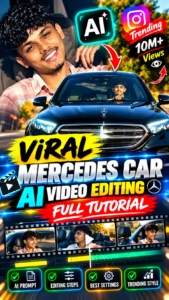
Mercedes Car AI Video Prompt — If You Already Have a Reference Video
Create an ultra-realistic 10-second REAL-WORLD CAMERA VIDEO, not an AI-looking, CGI-looking, 3D-rendered or game-engine-generated video, using TWO uploaded references: the REFERENCE VIDEO must control the exact Mercedes-Benz car, vehicle movement, camera position, camera movement, camera angle, framing, timing, scene transition, environment, lighting, actions, pacing and overall composition, while the CHARACTER IMAGE must control the exact identity and appearance of the person; the final result must look like genuine footage captured by a professional DSLR/mirrorless cinema camera of a real person physically sitting inside a real black Mercedes-Benz sedan at night, with physically believable camera optics, natural exposure, realistic dynamic range, natural highlight roll-off, realistic motion blur, realistic shutter movement, natural depth of field, natural lens distortion, realistic focus transitions, subtle sensor noise, natural micro-contrast, realistic reflections, shadows, glass refraction and real-world imperfections; absolutely avoid CGI, 3D modeling, digital reconstruction, plastic surfaces, excessive sharpness, HDR, oversaturation, artificial glow or digitally perfect imagery; preserve the uploaded person’s exact identity throughout the entire video including the same face shape, eyes, eyebrows, nose, lips, jawline, skin tone, hairstyle, facial hair, age, facial proportions, body proportions, outfit and natural appearance, including realistic skin pores, tiny imperfections, natural asymmetry and authentic skin texture, with no beautification, skin smoothing, face reshaping, enlarged eyes, changed nose, modified lips, artificial symmetry or AI-model appearance; maintain realistic eyes with natural wetness, reflections, catchlights and blinking, realistic facial-muscle movement, subtle breathing, natural expressions, stable identity and zero face warping or identity drift, while hair must contain realistic individual strands and move naturally with head movement; the black Mercedes-Benz must look like a real physical vehicle with realistic metallic black paint, clear-coat reflections, Mercedes emblem, chrome grille, LED headlights, windshield, side mirrors, body panels, panel gaps, rubber seals, tires, steering wheel, dashboard, beige/cream leather seats and authentic interior materials, with natural environmental reflections and physically accurate windshield transparency, tint, glare and refraction; in SCENE 1 recreate the opening exterior shot exactly from the Reference Video, showing the real black Mercedes approaching the camera from the same direction with the same camera height, distance, angle, framing, lens perspective, field of view, speed, lighting and timing, and as the car physically approaches, its apparent size must naturally increase because of real movement through space rather than digital zoom, with the grille, Mercedes emblem, headlights, hood and windshield progressively becoming larger while maintaining correct perspective, wheel movement, body motion, acceleration and deceleration, never sliding, floating, stretching or moving like a 3D animation, with the driver physically visible through realistic windshield reflections; at exactly the same moment as the Reference Video, make the same scene transition/cut without inventing a new transition; in SCENE 3 recreate the exact interior composition from the reference, showing the person naturally seated in the driver’s seat with the real steering wheel in the foreground, realistic dashboard, beige/cream leather interior, subtle nighttime dashboard illumination, natural windshield reflections and realistic cabin shadows, with the person looking naturally toward the side and then toward the camera/front exactly according to the reference; follow this body-motion sequence naturally and with perfect temporal consistency: from 0.0–1.2 seconds the person sits relaxed and centered behind the steering wheel with stable shoulders, calm expression, natural breathing, blinking and believable driving-position hands; from 1.2–2.5 seconds he slowly moves his upper body slightly toward the camera, his head naturally following the torso, begins smiling and gradually lifts one hand away from the steering wheel while accurately tracking the movement from shoulder to elbow to wrist to palm to fingers with correct anatomy and realistic joints; from 2.5–3.8 seconds he raises the hand beside his face and makes a casual two/three-finger gesture with natural elbow bending, wrist rotation, independent finger movement, correct finger proportions and realistic hand anatomy, while slightly tilting his head, maintaining eye contact with the camera and developing a subtle playful/confident expression; from 3.8–5.2 seconds he gradually lowers the raised hand, his smile becomes slightly wider with natural cheek movement and subtle eye squint, his head partially returns toward center and shoulders and neck follow naturally, while the steering wheel, dashboard and Mercedes interior remain fixed and stable; continue the remaining movement according to the Reference Video and finish with the exact final expression and head position shown in the reference, including a subtle natural smile without exaggeration; reproduce the reference camera exactly and do not invent camera movements, digital zooms, orbiting shots or drone-like movement unless they are present in the reference, maintaining the same physical camera position, height, distance, lens perspective, focal-length appearance, field of view, framing, camera speed, acceleration, deceleration, focus behavior, motion blur and timing; maintain frame-to-frame consistency of facial identity, face geometry, skin tone, hair, clothing, body proportions, Mercedes geometry, steering wheel, dashboard, interior, lighting, background and reflections, preventing identity drift, face morphing, body warping, extra fingers, missing fingers, fused fingers, malformed hands, changing car geometry, changing interior layout, flickering, texture crawling, unstable reflections or artificial object movement; use natural real-camera color science with realistic skin tones, deep but natural black paint, natural beige/cream interior, controlled highlights, realistic shadows, moderate contrast and cinematic but authentic depth, avoiding excessive saturation, contrast, HDR, artificial sharpening, plastic skin, glossy AI appearance or fake cinematic glow; the final result must look indistinguishable from genuine real-world footage recorded with a professional camera of the exact person sitting inside the exact Mercedes-Benz, with realistic physical perspective, glass, reflections, skin, hands, movement, nighttime lighting, optics, motion blur and depth of field, and the overall visual quality should feel like authentic camera footage
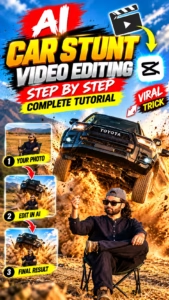
Toyota Car AI Video Prompt — If You Already Have a Reference Video
Use the uploaded reference video as the exact blueprint for the entire video and use the uploaded reference image of the person as the ONLY identity and appearance reference for the human subject; recreate the approximately 12-second sequence as closely as possible, preserving the exact action, body positioning, gestures, timing, camera movement, camera angle, framing, composition, environment, lighting, focus changes, motion blur, vehicle movement and overall visual sequence of the reference video, while completely replacing the original person with the person from the uploaded image; preserve the person’s exact facial identity with extremely high consistency throughout every frame, including the same facial structure, eyes, eyebrows, nose, lips, jawline, skin tone, natural facial proportions, hair characteristics and apparent age, with absolutely no face redesign, beautification, reinterpretation, morphing, identity drift, face-swapping artifacts, facial distortion or changes in age or appearance; do not copy the original person’s face from the reference video; the scene must remain a realistic outdoor dry grass/desert-like field during warm golden-hour sunlight, with the person sitting casually on the same type of small folding camping chair in the foreground with one leg crossed over the other, beginning with the same wide cinematic composition and slow camera movement while the person remains calm and relaxed, then at the exact corresponding moment a large dark/black Toyota pickup truck enters from behind the person and performs the same dramatic jump/drive-by action shown in the reference video, maintaining the same direction, speed, trajectory, timing, proportions, aggressive grille, headlights, tires, reflections and realistic vehicle details, while kicking up a large amount of physically realistic dust that naturally interacts with the tires, ground, vehicle, person, sunlight and background; the person must remain seated and react naturally with the same subtle head and hand movements and timing as the reference video; reproduce the reference video’s vertical 9:16 cinematic camera language with realistic telephoto perspective, natural background compression, shallow depth of field, smooth controlled camera movement, subtle natural handheld/cinematic feel, realistic focus transitions, natural motion blur, real camera exposure and physically believable perspective, without adding new camera angles, cuts, zooms or movements; preserve the same environment, dry grass, background, horizon, golden-hour sunlight, shadows, atmospheric depth and overall composition without redesigning or changing the scene; make everything look physically real with natural human skin texture, realistic pores, individual hair strands, authentic clothing fabric, natural body movement, realistic shadows, dust particles, vehicle reflections, depth of field, cinematic dynamic range, natural highlight roll-off, realistic exposure and subtle film grain; finish with the person still sitting in the chair while the truck moves past/behind them and the dust settles, matching the reference video’s final framing, expression, posture, vehicle position, focus and composition; absolutely avoid CGI, 3D-rendered or video-game appearance, plastic skin, beauty filters, artificial skin smoothing, AI-looking faces, face distortion, face morphing, identity changes, identity flickering, ghosting, extra fingers, missing fingers, extra limbs, deformed hands, unnatural anatomy, duplicate people, duplicate faces, clothing changes, environment changes, truck redesign, incorrect vehicle movement, impossible physics, excessive camera shake, artificial zooms, fake HDR, oversharpening, cartoon appearance or unrealistic dust; the final result must look exactly like the same real-world professionally filmed action scene was recorded again with the uploaded reference person naturally replacing the original person, with maximum priority given to identity consistency, exact reference-video motion and timing, and authentic real-camera photorealism.
The 3 Key Parts of an AI Video Prompt
| Part | What It Means | Example |
|---|---|---|
| Subject | Who/what is in the video | Boy, girl, Mercedes |
| Action | What happens in the scene | Driving, smiling, walking |
| Camera & Style | How the video looks and moves | Cinematic, realistic, slow push-in |
Once you get the pattern, write your own
Honestly, after your third or fourth try you won’t even need to copy-paste these anymore. It comes down to one formula:
subject + environment + camera + action + lighting + realism
So for example — subject is you, environment is a Mercedes interior at night, camera is a slow push through the windshield, action is you looking over and smiling, lighting is soft dashboard glow, realism is the usual “natural skin, real hands, physical camera movement” line. Mix and match from there. Just don’t give it contradictory instructions in the same prompt — that’s the fastest way to confuse it.
Where people mess this up
A few things I’ve seen (and done myself, not gonna lie):
Using a blurry or heavily edited photo as the reference — the AI just doesn’t have enough to work with.
Giving it contradictory directions, like asking for a static camera and a slow push-in in the same prompt.
Cramming too many ideas into one 8-second clip. A beach, a nightclub, and rain all in one scene isn’t cinematic, it’s just chaos.
Ignoring bad hands and hoping the next generation fixes itself. Simplify the gesture instead.
Expecting the first attempt to be perfect. It almost never is — change one variable at a time and you’ll get there faster.
And obviously — don’t use someone else’s photo without their okay, and don’t pass this off as real footage anywhere it could actually mislead someone.
Quick fixes if something looks off
Face keeps changing between frames? Use a sharper reference photo and dial back how much the head moves.
Hands look wrong? Simplify the gesture, and explicitly ask for anatomically correct hands.
Car looks like a video game render? Add something like “real-world physical vehicle, natural reflections, authentic camera optics, no CGI appearance.”
Skin looks too plastic? Ask for natural texture and pores, not “smooth” or “beautiful.”
Camera movement feels fake? Describe it as physical movement, not a zoom — “the camera physically moves closer, natural perspective shift.”
Reflections covering the whole face? Ask for “realistic but controlled” windshield reflections.
A few things that genuinely help
Start with the clearest photo you can find — this one decision affects everything downstream more than any line in the prompt.
Small, subtle movement reads as way more real than big dramatic gestures.
Actually describe what the camera is doing instead of just saying “make it cinematic” — that phrase means nothing to the model.
Don’t overdo HDR. Natural exposure looks more like a real camera, every time.
If a result isn’t working, change one thing — camera, lighting, hands, whatever — and regenerate. Don’t nuke the whole prompt and start over.
Wrapping up
You don’t need a real Mercedes, a crew, or even a driving license for this — just one clear photo and a prompt that actually knows what it’s asking for. Try both versions here, tweak the car color, the time of day, the expression, and make it yours. And if your first clip looks a bit off, don’t scrap it — figure out the one thing that’s broken and fix just that.
FAQ
Can I really make this from just one photo? Yeah — Flow can animate a still photo into video when you give it as a reference alongside the prompt.
Do I need an actual Mercedes anywhere near me? Nope. That’s the whole point.
Which prompt should I use? Got a reference clip you liked? Use Prompt 1. Only have a photo? Prompt 2.
Can I use this for a woman instead of “young man”? Yes, just swap the subject description and your reference photo — keep the identity-preservation lines as they are.
Can I change the car color? Sure, swap “black Mercedes-Benz” for whatever — “white Mercedes-Benz sedan with natural metallic reflections” works fine.
Can I go vertical for Reels? If your Flow model supports it, yes — check what’s available in your account.
Why does my face keep drifting mid-clip? Usually a reference photo issue, or too much head movement. Fix both and try again.
Why are the hands always the problem? Hands are just genuinely hard for these models right now. Keep gestures simple.
Can I swap in a different car entirely? Yep, the whole structure works with any vehicle — just change the car description.
Is Google Flow free to use? Credits and limits shift by account and region pretty often, so check your own dashboard instead of trusting a number from some old post (including this one).
Trending AI Photo Prompts
Couple Photo Editing Prompts
Viral AI Video Making