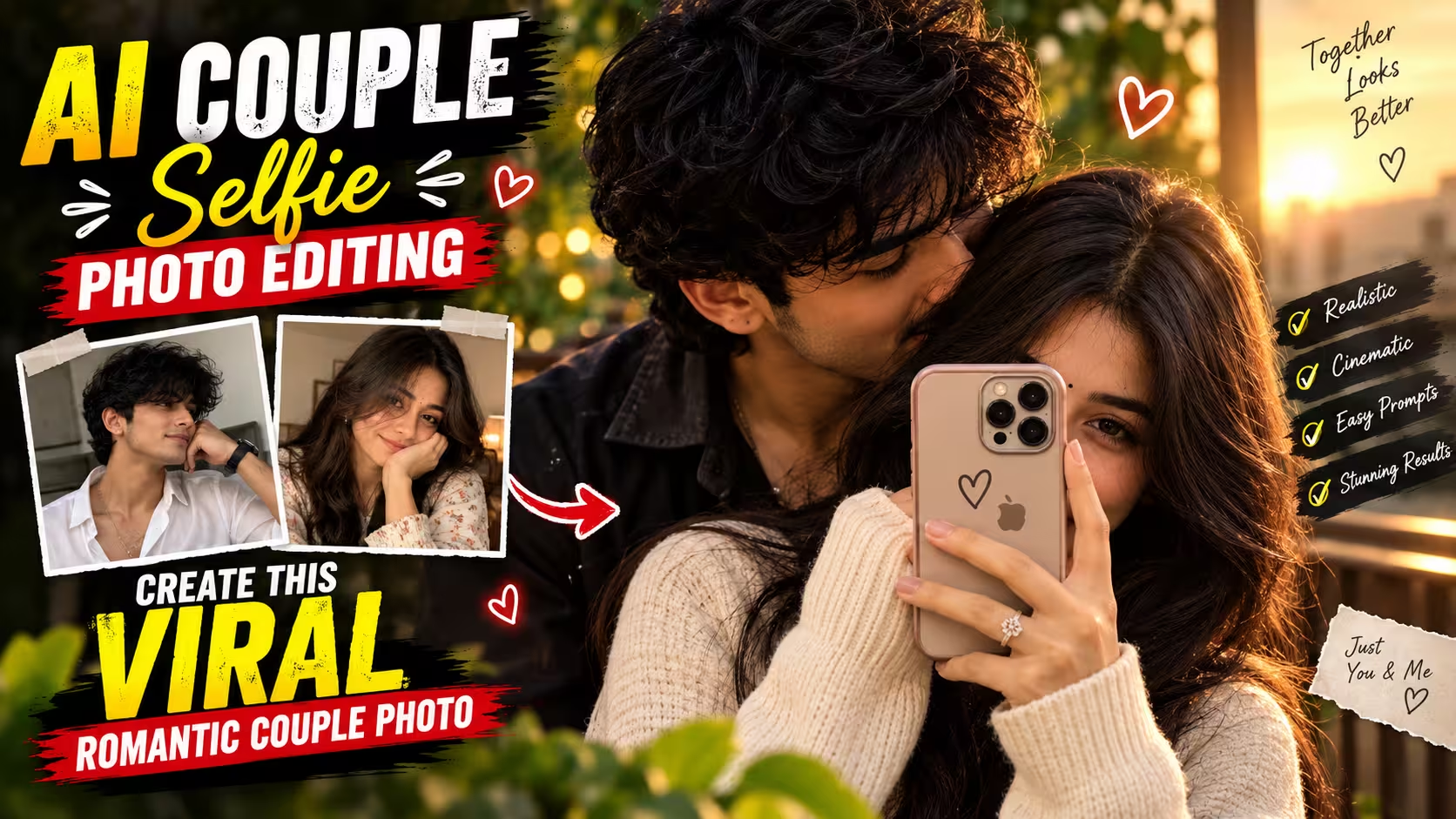
AI Couple Selfie Photo Editing Prompts: Get Realistic, Romantic Results
Couple photos have always done well on Instagram and Pinterest. But AI couple selfie photo editing prompts have changed how these photos get made. You no longer need a photographer, a planned outfit, or a perfect location. A couple of clear photos and the right prompt can get you most of the way there.
Here’s the thing though — a good-looking AI photo and a believable one aren’t the same. The moment a hand looks off, or a face doesn’t quite match, the whole picture falls apart. That’s what this guide is really about: prompts that hold up under a second look, not just a first glance.
Table of Contents
- Why AI Couple Selfies Have Taken Off
- What Makes These Photos Look Real
- Prompt 1: Romantic Mirror Selfie
- Prompt 2: Close Couple Portrait
- How to Actually Use These Prompts
- Common Problems and Fixes
- Tips for Better Results
- Mistakes to Skip
- Best Aspect Ratio by Platform
- FAQs
Why AI Couple Selfies Have Taken Off
Creating a proper couple photoshoot used to mean booking a photographer, picking a location, and hoping the weather cooperated.
AI has cut all of that down to a prompt and a couple of reference photos.
Want a cozy mirror selfie at home? Done. A cinematic evening portrait? Also done. Something that looks like a vacation shot from a city you’ve never visited? That works too.
This is exactly why AI couple selfie photo editing has spread so fast across Instagram, Pinterest, and Facebook. But the goal isn’t to make the most dramatic image possible — it’s to make one that looks like it came from an ordinary phone camera on an ordinary good day.
What Makes These Photos Look Real
A handful of small details separate a “nice try” from a photo people actually believe:
- Faces that still look like the actual people
- Skin with real texture, not a plastic finish
- Hands that make anatomical sense
- Body language that feels comfortable, not posed
- Lighting that falls the same way across both people
- Background that matches the mood of the shot
Get these six things right, and the image usually stops looking “AI-made” and starts looking like a photo someone actually took.
Prompt 1: Romantic Mirror Selfie
This is the classic Instagram mirror-selfie setup — both people visible, phone in hand, close together.
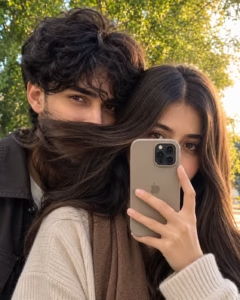
Create an ultra-realistic cinematic photograph of a young adult couple taking a romantic mirror selfie together. Use the provided reference images to preserve the recognizable facial identity, facial structure, natural skin tone, hairstyle, and overall appearance of both individuals.The couple stands naturally close in front of a large mirror. The woman holds a smartphone toward the mirror while the man stands comfortably behind her. Keep their body language relaxed and affectionate, like a genuine spontaneous photo — not a staged one.
Maintain realistic proportions, natural posture, and believable hand positioning. Use soft cinematic indoor lighting with realistic highlights and shadows. Preserve natural skin texture, visible pores, individual hair strands, and authentic smartphone-camera detail.
The mirror reflection must stay physically consistent with the subjects’ positioning. Avoid excessive skin smoothing, distorted hands, extra fingers, warped reflections, or an obviously artificial look.
Why it works: it doesn’t just say “make a romantic photo.” It tells the model exactly where the phone goes, how the bodies should be positioned, and — importantly — that the mirror reflection needs to physically match the pose. Reflections are one of the easiest places for AI models to slip up, so calling it out directly helps.
Prompt 2: Close Couple Portrait
Skip the phone and mirror entirely for something more suited to a profile picture or anniversary post.
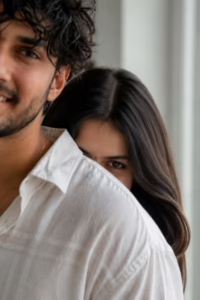
Create an ultra-realistic cinematic portrait of the same couple from the reference images. Preserve their facial identity, structure, skin tone, and distinctive features as accurately as possible.
The couple stands close together in a relaxed pose, with the man slightly behind the woman. Expressions should feel genuine and subtle, not exaggerated.
Use warm, soft cinematic lighting with gentle shadows. Preserve realistic skin pores, fine hair strands, and accurate facial proportions. Give clothing natural fabric texture and folds.
Set the scene in a realistic outdoor or indoor environment with a softly blurred background and natural depth of field. Avoid plastic skin, distorted anatomy, unnatural hands, or a changed facial identity.
Why it works: it isolates just the couple and the light, so the model has fewer moving parts to get wrong — no mirror geometry, no phone-in-hand pose. That simplicity is exactly why portraits like this tend to preserve facial identity better than mirror shots.
How to Actually Use These Prompts
- Pick good reference photos. Clear, well-lit, facing the camera. A regular smartphone photo near a window works better than most people expect. Skip anything blurry, dark, or hidden behind sunglasses or heavy filters.
- Upload the references. Depending on the tool, you can use one photo per person or a photo of both together. Separate, clear portraits often preserve facial features better than a single group shot.
- Customize the prompt. Swap in the location, lighting, clothing, or pose you want. Change one variable at a time — if you adjust everything together, you won’t know what actually caused the result you got.
- Generate a few versions. Don’t judge a prompt off one image. Generate several, then zoom in on eyes, teeth, fingers, hands, and the background before picking a favorite.
Common Problems and Fixes
| Problem | Likely Cause | Try This |
|---|---|---|
| Face looks different | Weak reference photo | Use a sharper, better-lit photo |
| Skin looks too smooth | Over-processing | Ask explicitly for pores and texture |
| Hands look wrong | Complex pose | Simplify the pose, regenerate |
| Couple looks stiff | Vague pose description | Be specific about body position |
| Reflection looks off | Complex mirror scene | Explicitly request a consistent reflection |
| Expression looks fake | Overly dramatic wording | Ask for a relaxed, subtle expression |
Tips for Better Results
- Start with better references. No prompt fixes a blurry photo.
- Keep poses simple. Standing together or a plain selfie pose leaves less room for mistakes.
- Ask for skin texture. Real skin has pores and small imperfections — say so in the prompt.
- Don’t overdo “cinematic.” Sometimes natural light beats heavy color grading.
- Generate multiple versions. Compare before you commit to one.
- Check the hands first. They’re the fastest tell that an image is AI-made.
- Match the background to the mood. A realistic couple against an obviously fake backdrop ruins the effect.
Mistakes to Skip
- Using a low-quality reference photo. It gives the model less to work with — start with something sharp.
- Overloading the prompt. Dozens of instructions at once can bury the details that matter.
- Ignoring hands and reflections. These are the two spots worth double-checking every time.
- Chasing perfection. Flawless skin, symmetry, and lighting all at once can actually look less real. A little imperfection helps.
Best Aspect Ratio by Platform
| Platform | Recommended Ratio |
|---|---|
| Instagram Feed | 4:5 |
| Instagram Stories | 9:16 |
| Website / Blog | 16:9 |
| Facebook Cover | 16:9 |
| Wallpaper | 9:16 or 16:9 |
If you’re making a Story cover, leave breathing room around the subjects so text or UI elements don’t cover their faces.
FAQs
1. Can I use my own photos for this? Yes, as long as the tool supports reference images. Just make sure you have permission to use photos of anyone else before publishing the result.
2. Does a regular smartphone photo work as a reference? Yes. What matters is that the face is clearly visible and reasonably sharp — you don’t need a professional camera.
3. Which aspect ratio should I pick? 4:5 for Instagram feed posts, 9:16 for Stories, and 16:9 for websites or wallpapers.
4. Why does the AI sometimes change the face? It usually comes down to reference quality, lighting mismatch, or the model’s own limits. A clearer reference and a stronger identity-preservation instruction in the prompt both help.
5. How many versions should I generate? Somewhere around 5–10 when you’re aiming for a final, share-ready photo. One version might nail the face, another the lighting — compare before choosing.
6. Can I change the outfit, location, or lighting in the prompt? Yes — that’s one of the biggest advantages here. Just change one variable at a time so you can actually tell what improved or broke the result.
7. Why do the hands come out wrong so often? Hands involve a lot of small overlapping shapes, which is hard for most AI models to get consistently right. Simpler poses — like a hand resting on a shoulder instead of intertwined fingers — usually come out cleaner.
8. Is a mirror selfie harder for AI to generate than a normal portrait? Generally yes. The model has to keep the reflection physically consistent with the pose, which adds a layer of difficulty a plain portrait doesn’t have.
9. Should I use one combined photo of both people or separate photos? Separate, clear photos of each person usually give the model a better shot at preserving both faces accurately, especially if your tool supports multiple reference uploads.
10. What’s the biggest reason a result looks “AI-made”? Usually it’s one of three things: overly smooth skin, off hands, or lighting that doesn’t match between the two people. Fix those three and the rest tends to fall into place.
2 thoughts on “AI Couple Selfie Photo Editing Prompts”